
Face Validation

Why Validate?
Users of STOPECALCTM are advised that it will be the rare case that the geologist collects all data without errors, optimizes the interpretation of the economic zone, and defines all faces and rounds in their final configurations in one pass. Good grade control and grade-tonnage accounting is in nearly all cases an iterative process. For one thing, in order to interpret the economic zone, it is generally necessary to take into account the width and position of the zone on adjacent faces in order to generate a quasi-mineable shape for the resource before dilution. Besides actual ore geometry, minimum mining width considerations for resources are often applied after considering information not yet available at the face. One such case is that actual assay values are often taken into account in the design of the economic zone. These are not available when the face is first entered or imported to STOPECALCTM. Face width and coordinates may need updating based on later detailed survey, especially if the walls are scaled repeatedly. All of these situations require review before and after entering or importing data into STOPECALCTM.
Graphic Checks
Errors in sample line collar locations, central coordinates, and revisions by later survey of provisional coordinates are things that should be checked with spreadsheet tools and graphically in a user-friendly mine visualization software package like Micromine. A first graphic check should be done by plotting face data. A typical view might look like the following:
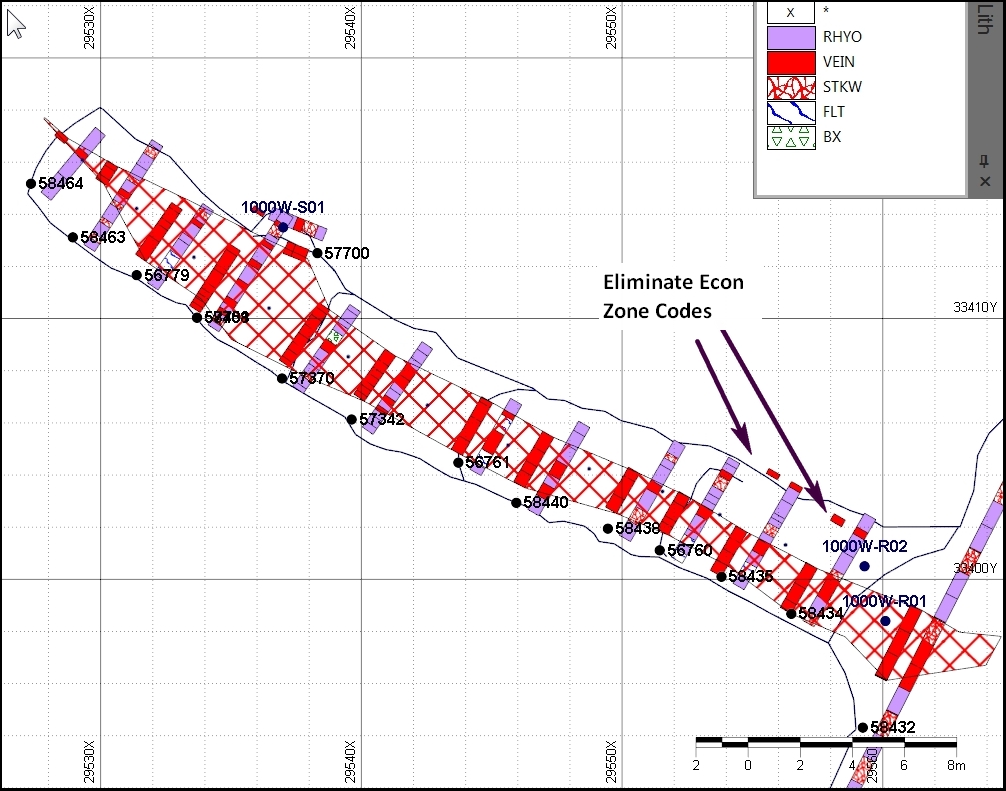
Results of checking may include coding corrections, coordinate adjustments and sample line orientation changes, especially if a compass was used. In this case, the economic zone included non-contiguous intervals. The coding is adjusted to incorporate, in most cases, one contiguous economic zone in each face. Exceptions to this rule may be where a major vein splay is included in a face and can be considered part of the economic zone.
A second plot is appropriate when assay data are available. Coding of the economic zone is checked for coverage and consistency with higher assay values:
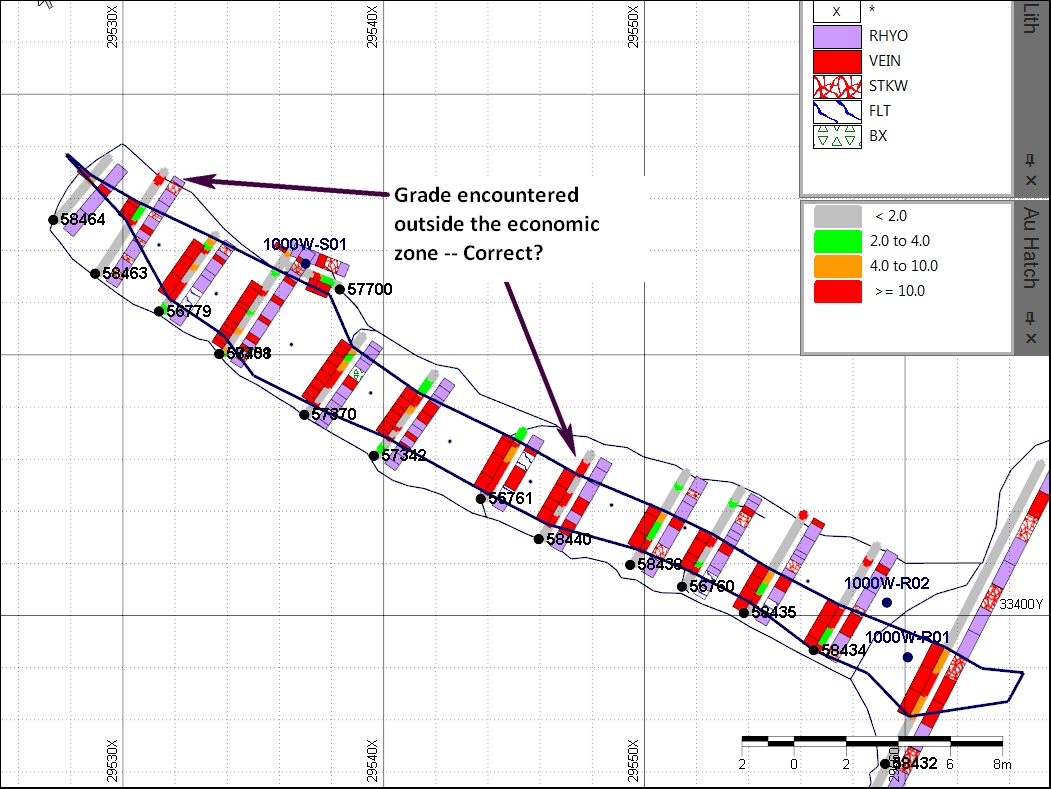
It is also useful to plot the measured face width values against sample line total width to make sure the Autocalc option has been applied correctly.
Preliminary vs Final Data
The Final status of faces and rounds should be periodically verified. If the Final box is not checked, faces or rounds with final results can be inadvertently overwritten by subsequent calculations. On the other hand, if the Final box has been checked before data is final, calculations are not updated with the most current data.
Comparison to Rounds
Face reports for development can be run as a comparison to reports based on rounds. Results should be with fractions of a percent, and if not, an error is probably present in the face or round data that should be corrected. This is discussed in more detail in Round Full Report.
Validation by STOPECALCTM
Validation steps embedded within the application will not allow duplicate FaceId's, nor will it allow a face width to be entered that is less than the sampled width. The reason for the latter check is to avoid calculating a higher weighted-average grade from samples. STOPECALCTM will allow empty date, influence, width, coordinates, prevface, nextface and other fields. These may not be available at the time the face is created. However, the user is advised that unless all fields in the Face header view are filled out, calculations may fail or be invalid.
In the sample intervals section, STOPECALCTM enforces the following conditions:
- to must be > from for current record
- from for current record is =>to from previous record
- from,to =>0
- metal values are within ranges specified in project setup
- no duplicate sample numbers
- no duplicate sample intervals
- no overlapping sample intervals
- list values are within project setup specifications for each list
These conditions are enforced for data entry; if attempts are made to import data with these conditions an error will be received.