
Saving and Recalling Filters

Saving and Recalling Filters
By entering a filter name on the top line of the dialog, the user can save a filter for later use by clicking on the SAVE FILTER button on the upper right of the filter screen. To recall a filter, the FILTER button to the left is clicked, bringing up a list of filters.
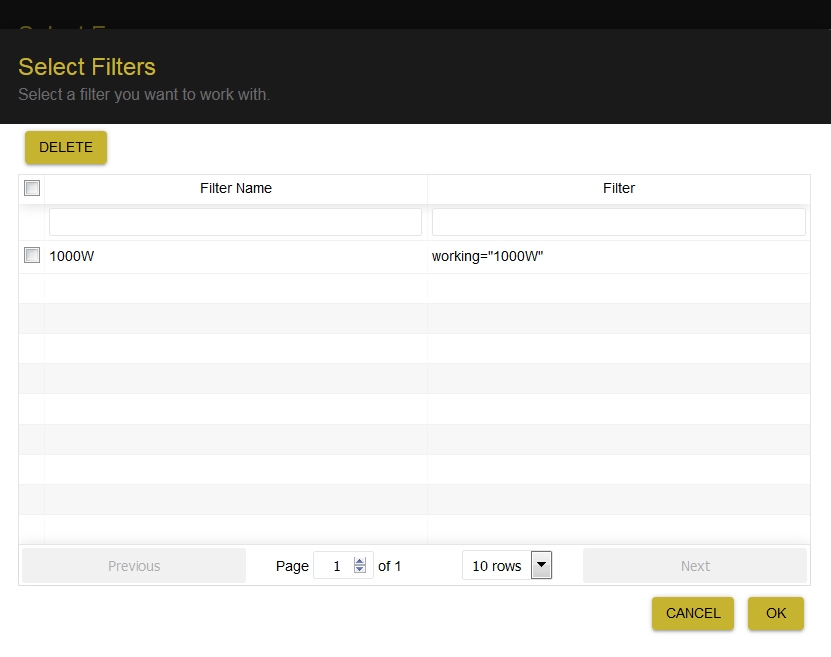
A shorthand summary of the filter criteria is listed to the right of the filter name. By checking the box opposite, and to the left of a filter in the list, that filter will be selected.
Click on OK to use the filter, DELETE (upper left) to delete the filter, or CANCEL to return to the main filtering dialog.
Note: The filter will return all records passing the saved filter criteria. If subsequent to applying the filter originally, records passing the filter were manually de-selected by unchecking the selection boxes, these changes will not be reflected in the recalled filter. The manual filtering previously used will have to be repeated to duplicate exactly the previous list of filtered records.