
Saving Changes

STOPECALCTM works in the background on the client machine. Data entered, edited or calculated are not saved until they are synced to the permanent database which is accessed through a web connection. It is therefore a requirement to Save changes to invoke synchonization.
Imported round data are automatically saved upon import.
New rounds entered manually in STOPECALCTM must be saved. Round information must also be saved if any changes have been made to the face metadata or checkboxes, if new bounding faces are entered, or changes are made to existing intervals, or if any calculations have been made by pressing the Calculate, or Calculate All buttons.
The Save button is located in the lower left corner of the Results section.
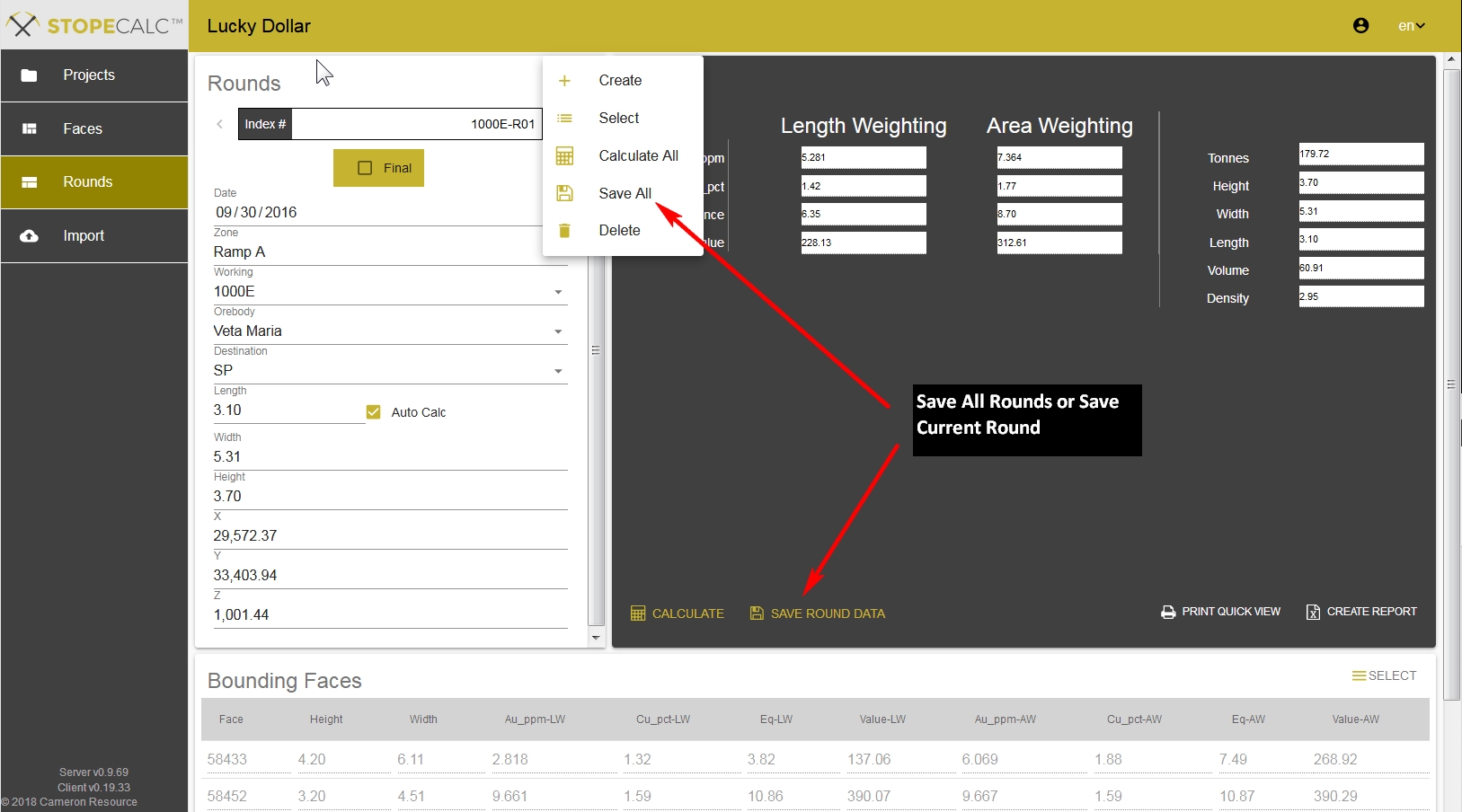
This will save the changes on the currently displayed round. The Save All button on the Rounds Header section dropdown menu will save all changes made on selected rounds made since the last save operation.