
Regional Preferences
StopeCalc currently is customized to a degree for either North American (English) or Latin American (Español). The choice has some effect on the user interface (UI), but more importantly, controls the import of dates. The choice of region does not affect the storage of data. Users can switch back and forth between regions without compromising data or reports.
Regional Preference
The choice of an English or Spanish interface can be done upon logging in or when setting the user profile by clicking on the annotated down-arrow on the extreme right side of the upper menu bar:
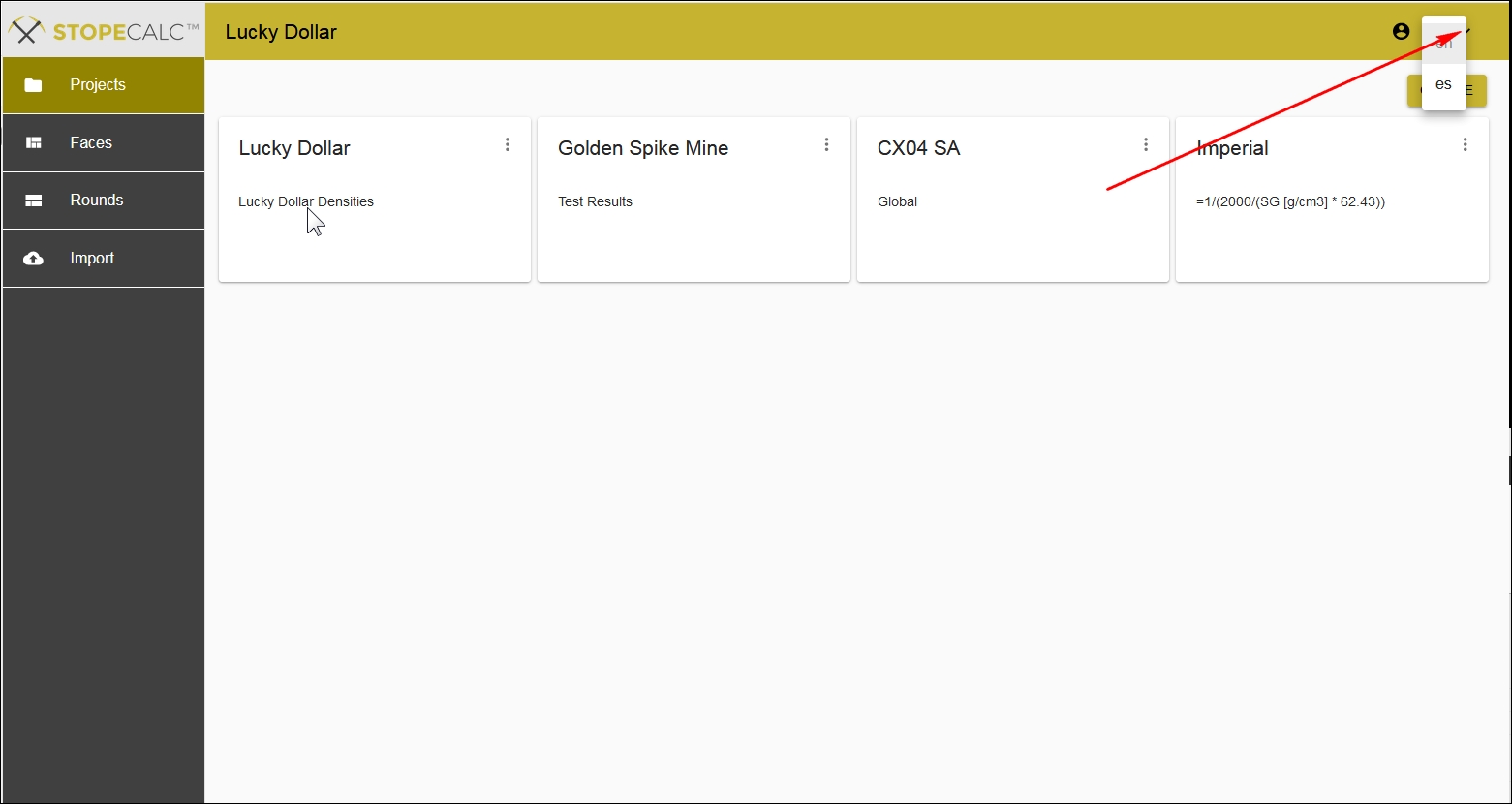
If a different language is chosen, the UI will reflect this, although not all label translations are fully implemented in Release 1.
The user is directed back to the Profile page to Update the profile:
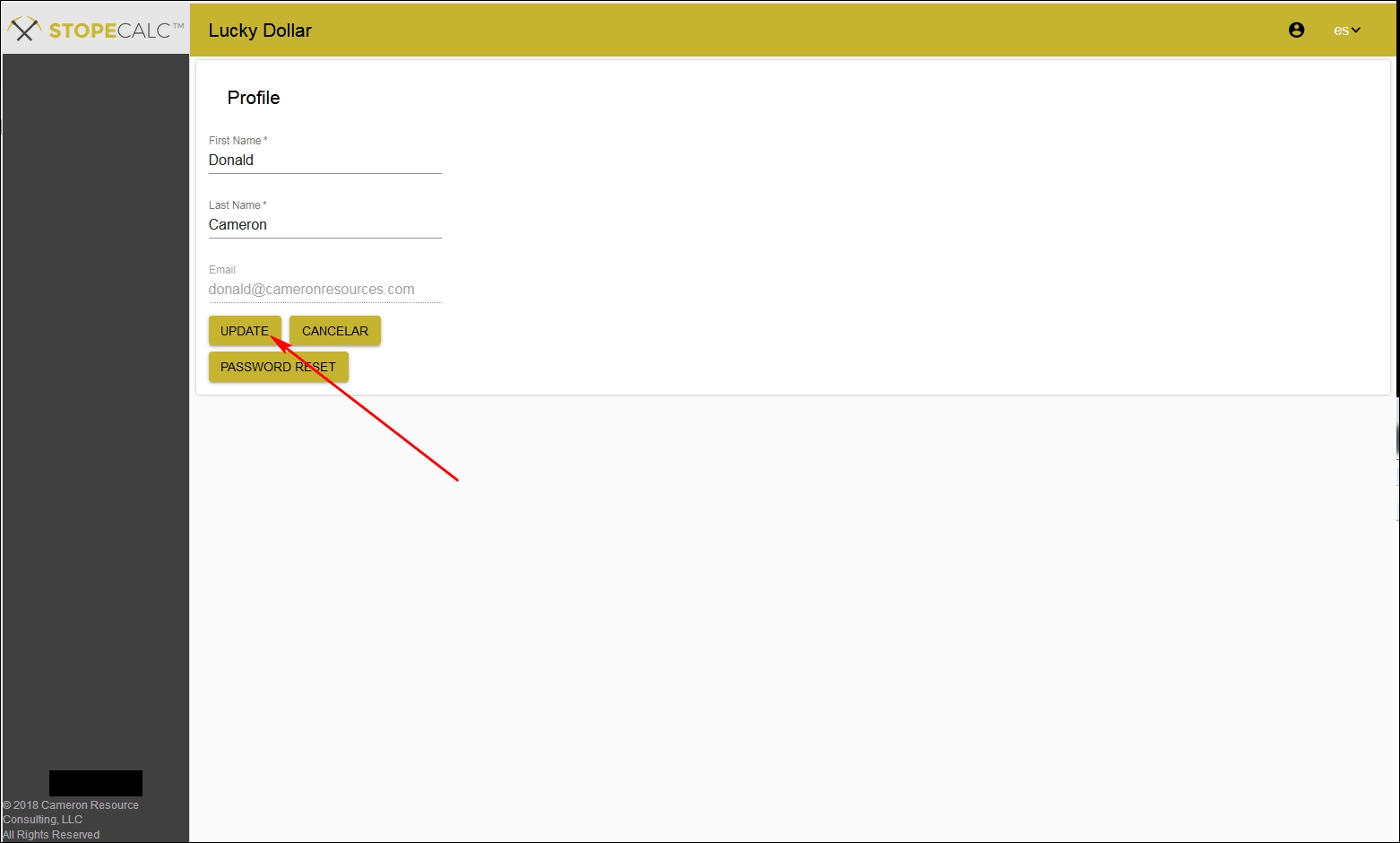
Once Update is selected, the user returns to the Project page. Users can switch on the fly at any time, but should save their work first. The user will always be directed back to the Profile page to update if a new regional preference is chosen during the session.
Date Formats
The choice of regional preference determines import format for date fields. Because there is no standard date format in use worldwide, three specific date formats for importing to STOPECALCTM are allowed:
- mm/dd/yyyy (EN)
- dd/mm/yyyy (ES)
- YYYY-MM-DDThh:mm:ssTZD ( ISO8601)
If a .csv-format file is imported to the Faces or Rounds Header tables with dates, the format must be compatible with the current regional preference of STOPECALCTM . How a csv file is written will depend on the Locale setting in EXCEL:
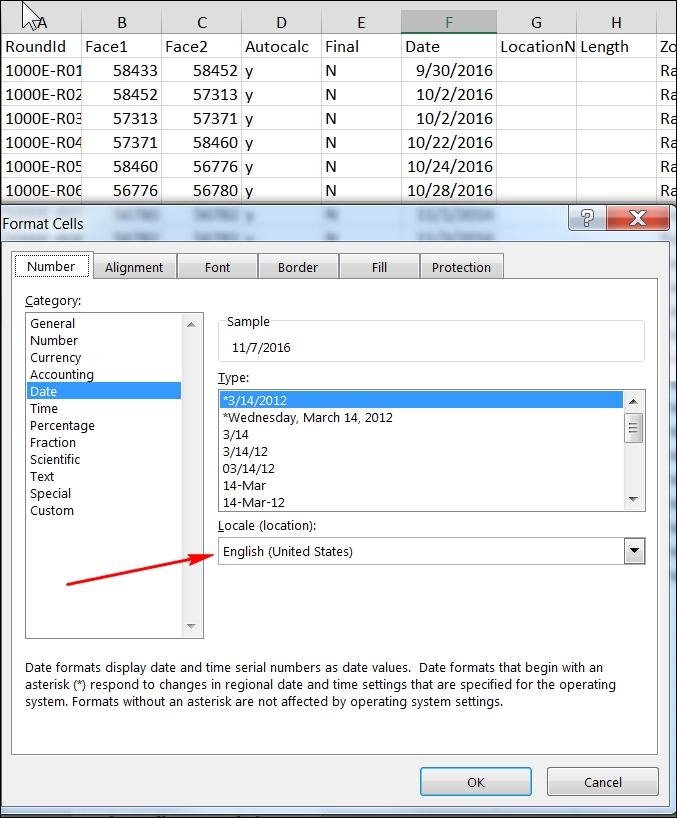
In the above case, the EXCEL setting is English (United States). If STOPECALCTM regional preference is EN, then the dates will be imported correctly. Conversely, the EXCEL Locale setting must be a Latin American Spanish setting that allows '/' delimiters (e.g., 14/01/2009) if the regional preference is ES.
If the csv is written in the wrong format for the regional preference, the date field in StopeCalc will show 'Invalid Data' for most, or all entries.
STOPECALCTM writes export files with dates in ISO8601 format regardless of the regional preference. These can always be imported directly back to STOPECALCTM without any reformatting.