
Interpreting Round Results

Round Results
Calculations are shown in the Results window of the STOPECALC Rounds tab. The listing shows average grades for length and area-weighted assays, followed by Equivalence and Net Value. On the right-hand side physical measurements are listed for the round viewed:
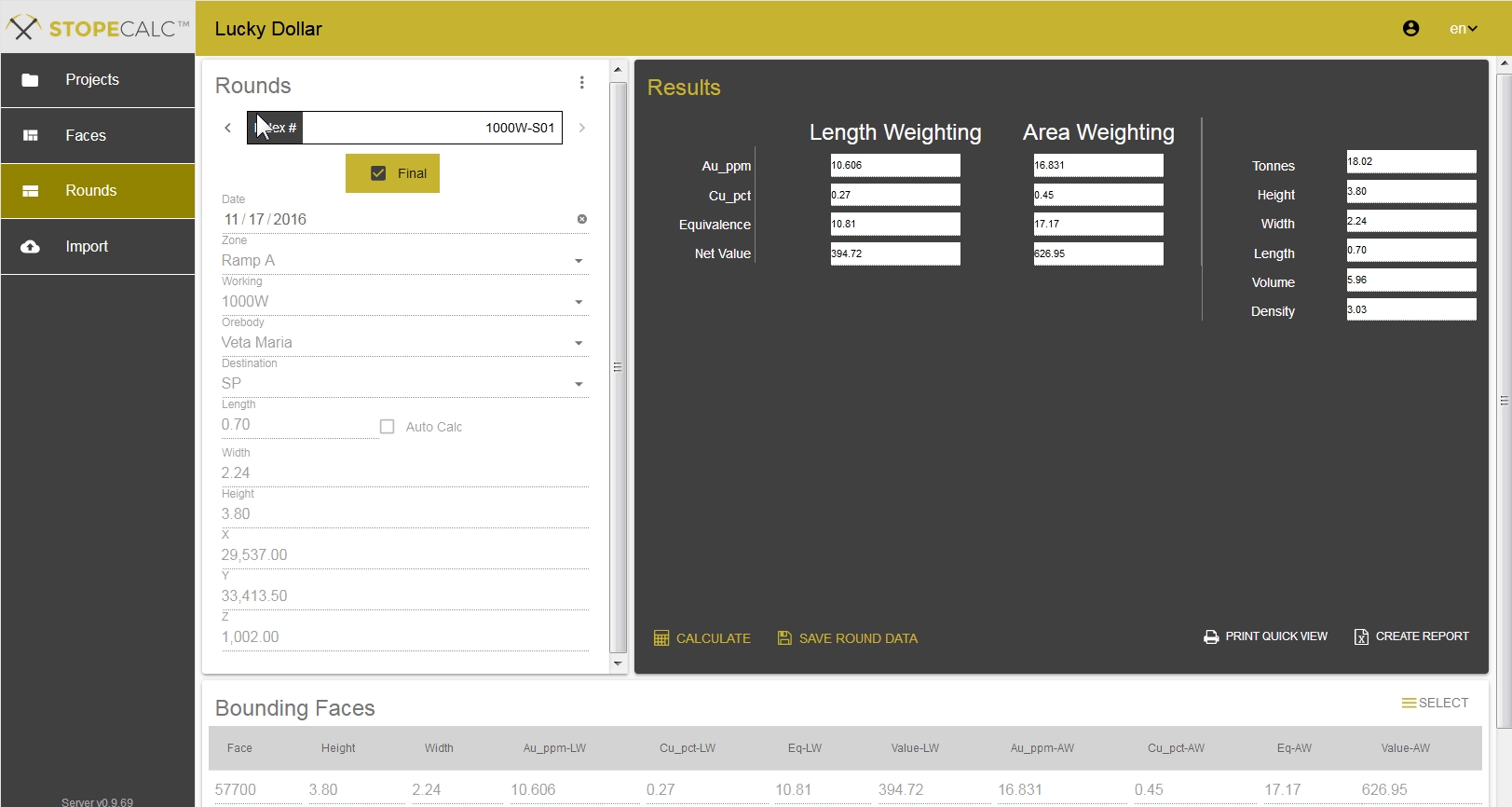
The round results are averages of the calculated bounded faces doubly-weighted by their respective areas and densities. In the Rounds section of the view, Length will appear or update if the Auto Calc option is checked. Coordinates will also update. If only one bounding face is specified the coordinates shown will be the central coordinates of the face, not the center of the round unless they are manually overwritten.
After each round is calculated, the Destination field should be checked. In a well-managed mine, any near-cutoff grade muckpiles will await final destination until the round average grade is calculated. Destination may also be changed if material is moved between stockpiles and/or the mill.