
Create a Face

The face database stores the information mapped in faces and sampled along channel lines or areas of the exposed faces, ribs or backs. Faces are the building blocks of production accounting which can be thought of something like a game or a puzzle. Each unit of production is like a piece in the puzzle with a unique shape and attached information. In order to fully account, faces and rounds are created to fit the mining shapes. In some cases, new faces need to be created from portions of an existing face or sample line and given a unique ID. These can help to account for rounds where sampling was not fully done, or where a working is initiated from a cross-cut drift. The idea is to account for, and track all production using the measurements and samples collected underground and the architecture of STOPECALCTM. The process starts by populating the Face database.
Header
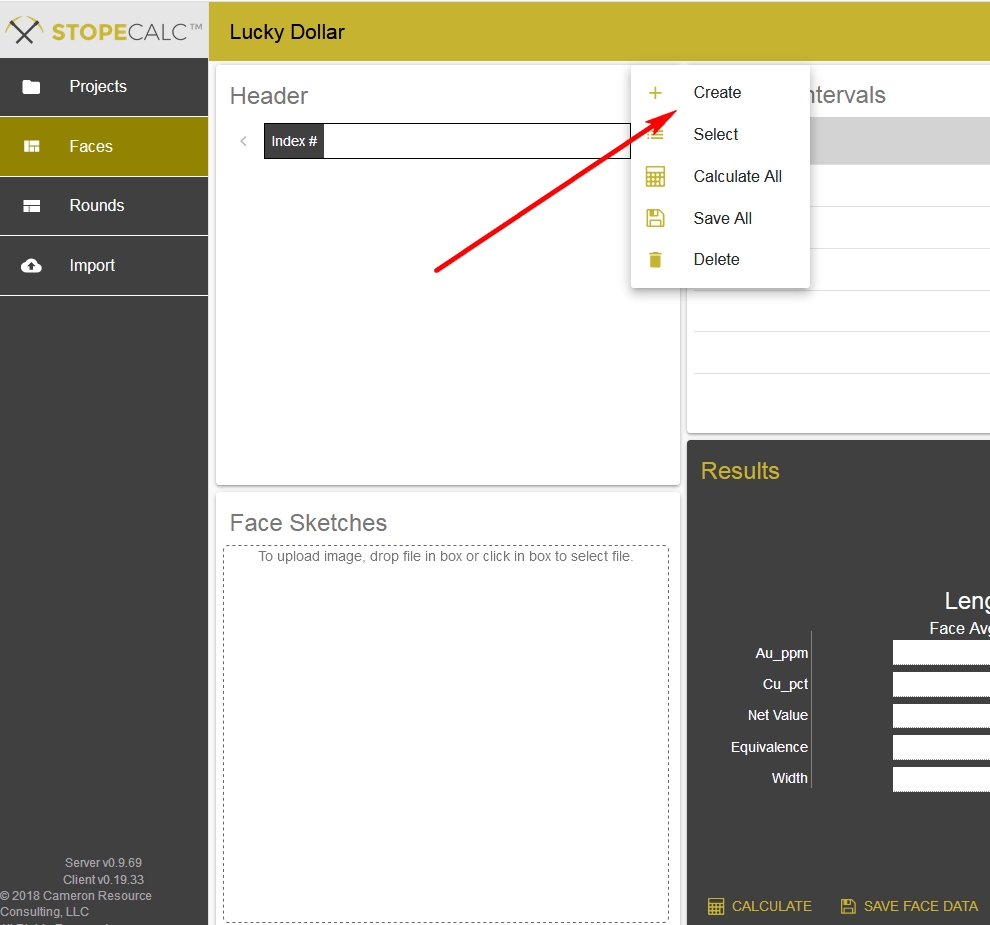
Header information can be imported or entered one face at a time. The first step in creating a single new face is to click on the button in the Header section as shown below, and choose Create, as below:
When Create is selected, the Header section will show a list of blank fields with a scroll bar (tablets in portrait view will show all fields without the scroll bar):
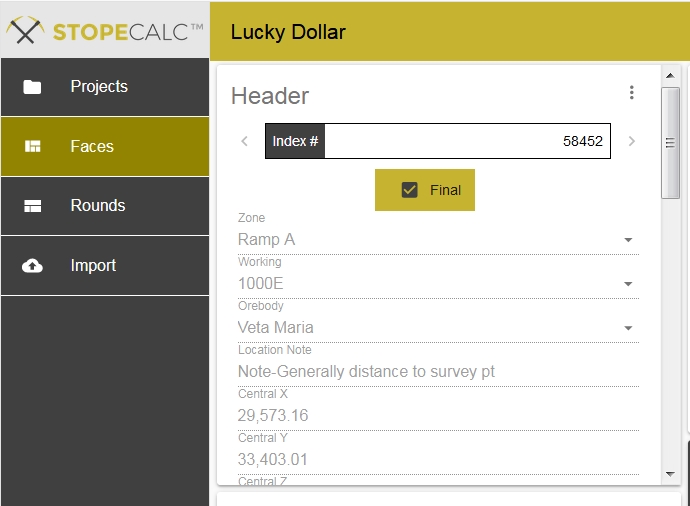
Fill in as many fields as possible, using the dropdown lists generated from the Project setup for Zone, Working, Orebody. Central coordinates are best surveyed since the face may be a curve rather than a line. Without central coordinates, you won't be able to calculate face influence or round volumes. Geologist will be the user who created the face. Width and Influence can be entered or Auto Calc'd from the total length of the sample line or the PrevFace and NextFace entered, respectively.
Save your changes by clicking the Save button (lower right, below, in Results section), or Save All from the selection menu (below red arrow, above) after completing multiple edits on different faces in the current selection. Allow a few seconds for the app to synchronize with the remote server, the time determined by the speed of the connection.